
Biome Finder Minecraft Bedrock – Best Complete Tutorial
Home ▶ Blog ▶ Bedrock Biome Finder Tutorial Bedrock Edition Biome Finder Minecraft Bedrock – Best Complete Tutorial Bedrock Edition All Platforms Updated 2026

Enter your world seed and coordinates to discover exactly which biome
you are standing in — supports Java & Bedrock editions.
Seed-accurate biome lookup powered by a real implementation of Minecraft 1.18+ world generation. Supports Java & Bedrock. Results match exactly what you'll see in-game.
Follow these steps to find any biome in your Minecraft world using your seed.
/seed. Bedrock: go to Settings → Game to find your seed number.Drag to explore. Scroll to zoom. Hover regions to identify biomes. Map uses real noise generation per seed.
Click any card to auto-load it in the finder above.
A Minecraft Biome Finder is an online tool that uses your world seed and coordinates to calculate exactly which biome exists at any given location in your Minecraft world — instantly, without you needing to be in-game.
Minecraft worlds are not truly random. Every world is generated from a seed — a number that controls the entire layout of terrain, biomes, and structures. Because the generation is deterministic (the same seed always produces the same world), a biome finder can replicate that generation process in your browser and tell you precisely what biome is at any location.
Before tools like this existed, finding specific biomes required hours of exploration, installing AMIDST on your computer, or just getting lucky. A biome finder eliminates all of that — you can plan an entire expedition before opening the game.
💡 Practical use cases: Finding the nearest Jungle for bamboo farming • Locating a Mushroom Island for a safe base • Checking if coordinates from a Reddit seed post match your version • Confirming which biome your base is in for mob spawning rules • Pre-scouting an area before building.
Most biome finders on the web use a simplified hash function to approximate biome results. biomefinder.net is different — it implements the actual Minecraft 1.18+ world generation algorithm in JavaScript, running entirely in your browser.
Since Minecraft 1.18, biomes are no longer determined by a simple temperature/rainfall grid. Instead, Minecraft uses six independent noise channels to assign biomes:
| Parameter | What It Controls | Range |
|---|---|---|
| Temperature | Hot/cold biomes (desert vs tundra) | -1.0 to 1.0 |
| Humidity | Dry/wet biomes (desert vs jungle) | -1.0 to 1.0 |
| Continentalness | Ocean vs inland land | -1.0 to 1.0 |
| Erosion | Flat plains vs mountains | -1.0 to 1.0 |
| Weirdness | Biome variant selection (rare variants) | -1.0 to 1.0 |
| Depth | Surface vs underground cave biomes | -1.0 to 1.0 |
Our tool calculates all six values for your exact coordinates and seed, then maps them to the correct biome using the same rules Minecraft applies during world generation. This is why the results match your in-game world exactly.
The result panel even shows you the raw noise values as bars — so you can see why a particular biome was assigned to your location. High temperature + low humidity = Desert. High continentalness + high erosion = Mountain peak, and so on.
Using the tool takes less than 30 seconds. Here’s exactly what to do:
In Java Edition: Open chat (press T), type /seed, press Enter. The seed will appear in chat.
In Bedrock Edition: Open World Settings → scroll to the Advanced tab → your seed is listed there. You can also find it in the Pause menu under “Game” settings while playing.
In Java Edition: Press F3 to open the debug screen. Look for “XYZ” — the three numbers are your X, Y, and Z coordinates.
In Bedrock Edition: Enable “Show Coordinates” in World Settings. Your coordinates will appear in the top-left corner of the screen while playing.
Paste your seed into the World Seed field. Enter your X and Z coordinates. Y defaults to 64 (sea level) which is correct for most surface lookups. Select your Minecraft version and dimension.
Hit the green Find Biome button or press Enter. Your result appears instantly with the biome name, climate type, surface block, common mobs, and all six climate noise values.
Scroll down to the Interactive Biome Map. Enter your seed and click Generate. The full map renders using real noise generation — drag to explore, hover over regions to identify biomes, and zoom in on areas of interest.
Important: Always select the correct Minecraft version. Biome generation changed significantly between versions — especially at version 1.18. Using 1.21 settings on a 1.17 world will give wrong results.

Uses real Minecraft 1.18+ noise generation — not a hash approximation. Results match your in-game world exactly for every seed.
Drag-and-zoom canvas map generated from your actual seed. Hover any region to see the biome name and climate. Toggle biomes on/off from the legend.
See all 6 raw climate values (temperature, humidity, continentalness, erosion, weirdness, depth) displayed as visual bars for every result.
Supports Overworld, The Nether, and The End — with correct biome sets for each dimension and accurate generation rules per dimension.
Browse all 60+ Minecraft biomes with categories, climate info, surface blocks, and common mobs. Click any card to auto-load it in the finder.
No sign-up, no download, no paywall. Open your browser, enter your seed, get your result. Works on desktop, tablet, and mobile.
The biomefinder.net tool is built primarily around Java Edition world generation. Java Edition is the most popular version among PC players and content creators, and its biome generation system is the most well-documented.
All supported Java versions use Perlin-based noise generation for biomes. The biggest change in Java Edition history was version 1.18, which completely overhauled biome generation from a 2D temperature/rainfall system to the current 6-parameter 3D noise system. Our tool fully implements this new system.
Large Biomes world type:: If you created your world with the “Large Biomes” world type, biome zones are scaled up roughly 4x. The biome finder currently targets standard world generation. Large Biomes support is on the roadmap.
Cross-platform seed sharing: Since Minecraft 1.18, a seed like 8675309 will produce the same biome layout on both Java and Bedrock. You can share seeds between platforms and use this tool for both.
| Version | Edition | Biome System | Supported |
|---|---|---|---|
| Java 1.21 (Latest) | Java | 1.18+ Noise (6 params) | ✓ Full |
| Java 1.20 | Java | 1.18+ Noise (6 params) | ✓ Full |
| Java 1.19 | Java | 1.18+ Noise (6 params) | ✓ Full |
| Java 1.18 | Java | 1.18+ Noise (6 params) | ✓ Full |
| Bedrock Latest | Bedrock | 1.18+ Noise (6 params) | ✓ Full |
| Bedrock 1.20 | Bedrock | 1.18+ Noise (6 params) | ✓ Full |
| Java 1.17 and below | Java | Legacy 2D Temp/Rainfall | ⚠ Partial |
| Bedrock 1.17 and below | Bedrock | Legacy system | ⚠ Partial |
Pre-1.18 worlds: Worlds created before Java 1.18 used a completely different biome system. If you upgraded a world from 1.17 to 1.18, newly generated chunks use the new system while old chunks keep the old biomes. Select the version that matches when those specific chunks were first generated.
Rare biomes in Minecraft are biomes that only occupy a very small fraction of the world. Some — like Mushroom Fields — can be thousands of blocks from spawn in any direction. Here’s how to find them efficiently.
Rare biomes have a low probability in the noise parameter space. For example, Mushroom Fields only appear when continentalness is extremely low AND a special noise threshold is met simultaneously — which is a very small slice of all possible coordinate combinations.
Some community-tested seeds are known to spawn near rare biomes. Try these in the tool to see the rare biomes near spawn:
Multiple rare biomes within 2000 blocks of spawn
Java 1.18+
Mushroom Fields island accessible early-game
Java 1.18+
Badlands and Eroded Badlands near spawn
Java 1.20
42
Ice Spikes accessible within 1500 blocks
Java 1.18+
Pro tip: Deep Dark biomes are underground (Y -40 to -20 range). To find them, set Y to -40 in the biome finder and scan coordinates — the Deep Dark only appears when the depth parameter is extreme, which happens in certain noise patterns depending on your seed.
A Minecraft world seed is the number that determines everything about your world — terrain height, biome placement, structure locations, cave systems, and more. Understanding seeds is key to getting the most from a biome finder.
Note: You cannot find your seed in-game on older console editions (PS3, PS4 legacy, Xbox 360, Wii U editions). Those editions used different generation systems and are not supported by any modern biome finder.
There are several biome finders available online. Here’s how biomefinder.net compares:
| Feature | Biomefinder.net | Chunkbase | Seeds.gg | Mcseedmap.net |
|---|---|---|---|---|
| Real seed-accurate engine | ✓ | ✓ | ~ | ✓ |
| Interactive biome map | ✓ | ✓ | ✓ | ✓ |
| Climate noise values shown | ✓ | ✕ | ✕ | ✕ |
| Single coordinate lookup | ✓ | ✓ | ~ | ~ |
| Full biome reference library | ✓ | ✕ | ✕ | ✕ |
| Mobile optimised | ✓ | ~ | ✓ | ~ |
| No account / no ads | ✓ | ~ | ✕ | ✓ |
🌟 What makes biomefinder.net unique: We’re the only biome finder that shows you the underlying 6 climate noise values for your exact coordinates — giving you insight not just into what biome you’re in, but why the game assigned that biome there. This is genuinely useful for understanding Minecraft world generation and for finding nearby biome transitions.
biomefinder.net is fully optimised for mobile devices. Whether you’re playing Minecraft on a phone, looking up coordinates mid-game on your tablet, or just browsing on a smaller screen — the tool works perfectly.
biomefinder.net is and always will be 100% free. No paywalls, no premium tiers, no feature limits. Here’s what you get for free:
Biome lookup results appear in under 300ms. No server round-trip — everything runs in your browser.
No account, no email, no cookies consent walls. Just open the page and use the tool.
The biome finder tool area is kept completely clean. Your coordinates, your results — no distractions.
Search as many seeds and coordinates as you want. No daily limits, no rate limits.
Everything you need to know about finding Minecraft biomes by seed — for Java, Bedrock, and every dimension.
Expert guides, seed showcases, and deep dives into every Minecraft biome. Updated for 1.21.4.
Home ▶ Blog ▶ Bedrock Biome Finder Tutorial Bedrock Edition Biome Finder Minecraft Bedrock – Best Complete Tutorial Bedrock Edition All Platforms Updated 2026
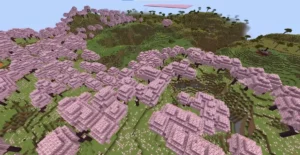
BiomeFinder › Blog › Cherry Grove Guide Biome Guide How to Find Cherry Blossom Biome in Minecraft (Cherry Grove Guide) ✍️ Donald H.
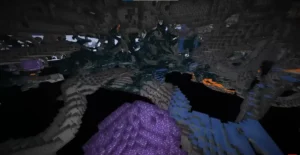
Home › Blog › Deep Dark Biome 1.21.4 Guide Java Edition Bedrock Edition ⚠ Warden Inside How to Find the Deep Dark Biome in
QUICK LINKS
TOOLS
COMPANY
LEGAL
© 2026 biomefinder.net — All rights reserved | Built by MadeByWeb
Not affiliated with Mojang or Microsoft.